Month: September 2025
Let’s be honest – most of us don’t live in places with flawless internet. We’re constantly in elevators, trains, and crowded cafes with spotty Wi-Fi. Yet too many apps still assume a perfect connection. The moment the signal drops, they freeze, crash, or even worse – lose your data.
This article shows why offline-first apps are a must-have now and how strong offline support can boost user trust, retention, and long-term business growth.
Wi-Fi fiasco: No signal, no data
Picture this: you’re taking quick notes during a meeting. Suddenly, the network cuts out. The app you trusted doesn’t save locally, and your thoughts vanish. Users on forums have shared stories like “more than half of a detailed work note disappeared”.
This isn’t just an inconvenience. For professionals, it’s lost work, lost time, and often a lost reason to keep the app installed.
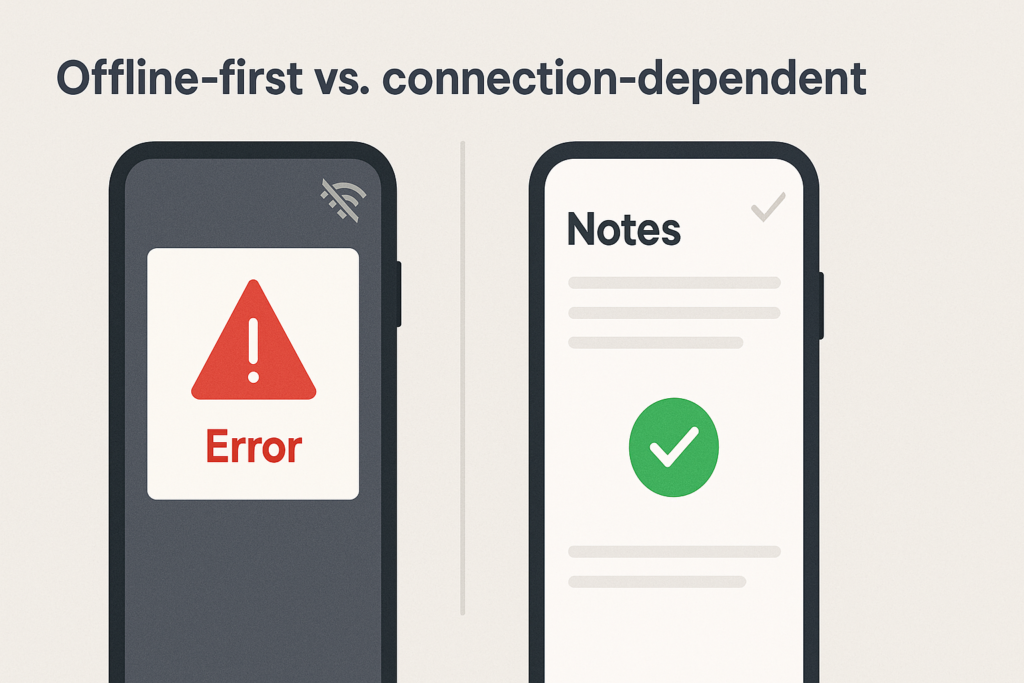
Such situations are not limited to note‑taking. Podcasts, health trackers, social apps, and field‑service tools all suffer when offline functionality is poor.
Research backs it up: nearly 3 out of 4 users have seen apps lose data during offline moments. Around 80% will stop using an app if it doesn’t handle poor connectivity well.
How can the offline-first approach transform your app?
On the contrary, if your app has robust offline functionality, you can benefit from:
- Higher user retention rates as users trust the app to work everywhere
- Increased session duration since connectivity interruptions don’t end usage
- Positive app store ratings highlighting reliability and user-centric design
- Organic growth through satisfied users who experienced seamless functionality
- Fewer support tickets related to data loss and synchronization issues
- Lower server costs due to optimized data transfer and caching.
At DreamBit, we understand that delivering a smooth offline experience isn’t optional – it’s essential. Our team specializes in creating apps that work flawlessly, whether users are in a basement with no signal or on a mountaintop with perfect connectivity.
| DreamBit has hands-on experience implementing offline features. Our Everfm project lets users enjoy uninterrupted podcast experiences regardless of network conditions, with automatic syncing ensuring their listening history and preferences are always up-to-date across devices. Read more → |
Here’s how we follow an offline‑first philosophy and provide seamless user experiences.
Using a local database as the primary source
Our offline‑first apps operate on local data (SQLite, Room, Hive, etc.), treating the database as the source of truth. When the user writes a note, updates their profile, or adds a task, the change is immediately stored locally, ensuring that the UI remains responsive even without the internet.
Caching content and assets
By caching previously loaded screens, images, and files, we empower users to continue browsing while offline. For note‑taking, this means caching note lists and attachments so they remain viewable even during disconnection. For example, in our Everfm app, caching ensures that discovered podcasts and downloaded episodes stay accessible offline.
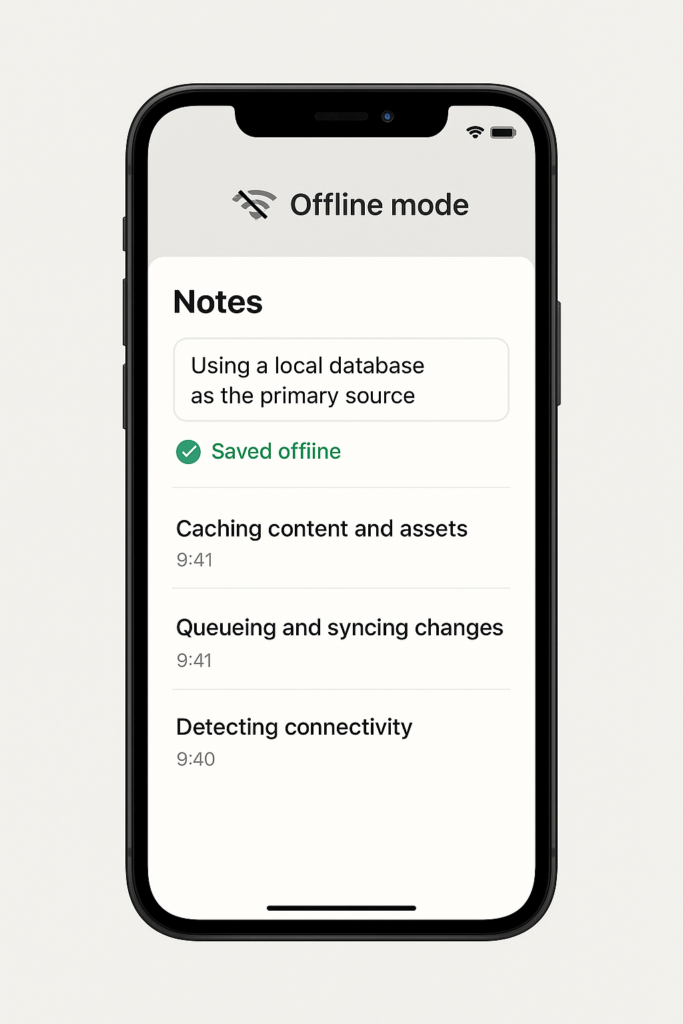
Queueing and syncing changes intelligently
When offline, we queue user actions (new notes, edits, deletes) locally and mark them for synchronization. Once the device reconnects, a sync manager sends only the changed data to the server, reducing network load and battery consumption. We support both one‑way sync for read‑only feeds (e.g., news) and two‑way sync with conflict resolution for collaborative tools like note‑taking apps.
Handling conflicts and merging
When a user edits a note offline and another user edits the same note online, conflicts can occur. We implement conflict‑resolution strategies (last‑write‑wins, versioning or merge UI prompts), ensuring data integrity across devices.
Detecting connectivity and managing transitions
We make sure that when connection is lost, the app switches to offline mode and provides clear messaging. When connectivity returns, the app syncs and notifies the user. This helps avoid silent failures.
Providing manual controls and feedback
Users appreciate transparency. We offer offline status indicators, manual sync buttons and progress feedback during data sync. This reassures users that their data is safe and can sync automatically.
Securing and optimizing local data
To protect sensitive notes, we encrypt local caches and optimize them for minimal storage and battery impact. Intelligent storage management cleans up stale caches and allows users to delete downloaded content when space runs low.
Take note that at DreamBit, we design offline-first. This means:
- Every feature is evaluated for offline usability from the design phase
- Data architecture is built to work seamlessly with or without connectivity
- User interfaces adapt intelligently to provide clear feedback about the offline status
- Synchronization is automatic and transparent, requiring no user intervention.
Conclusion: reliable offline mode is a game-changer
When users can trust that their data is safe and accessible regardless of connectivity, your app becomes indispensable rather than disposable.
At DreamBit, we can help you create experiences that users can depend on anywhere, anytime. Ready to build an app that never lets your users down? Contact us to discuss your project.
Teaser: Trust begins with consistency
First impressions happen fast – about 50 milliseconds is enough. In that blink of an eye, an inconsistent or chaotic interface can trigger a negative reaction and send users away from your app.
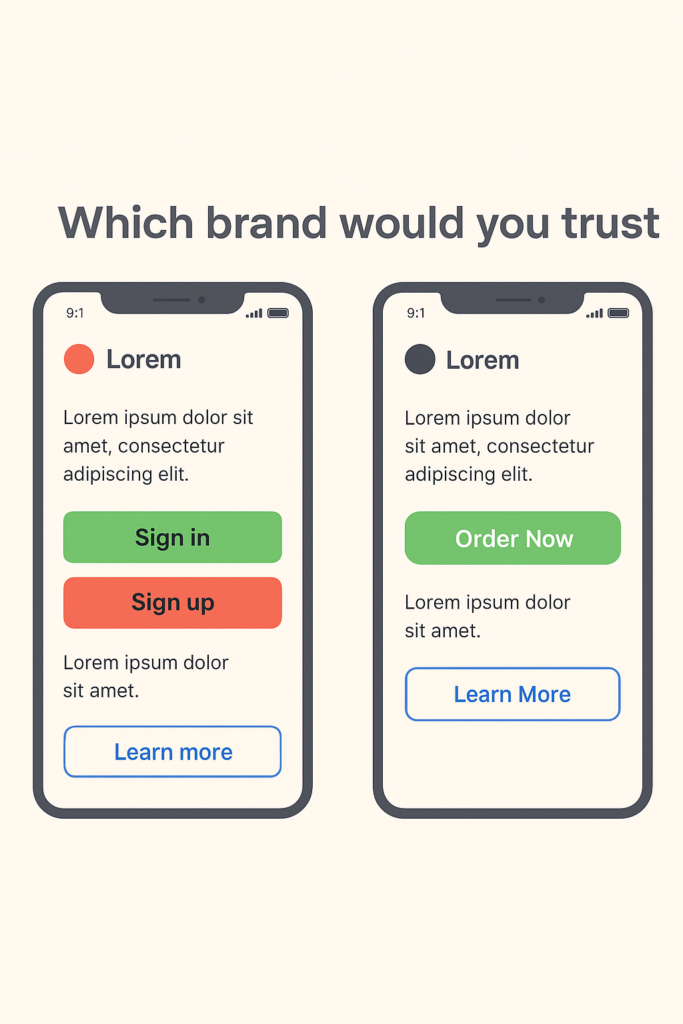
Think about it: if one page of your app looks sleek and modern, but the next is made in mismatched colors and fonts, users immediately feel something is off. Design consistency isn’t just about aesthetics; it’s about making your audience feel comfortable and confident in your brand. If your branding is “all over the place,” customers won’t trust you – and if they don’t trust you, they won’t buy from you.
Maintaining a cohesive, well-organized design is key to turning users into loyal customers. Just as we instantly recognize the familiar colors and fonts of brands like Apple or Nike, a consistent design can help people recognize and trust your brand at a glance.
The Problem: When Design Chaos Reigns
Imagine an app that has the large green oval “Order Now” button on the home screen. But on the checkout screen, it offers a small red square button for the same action. On one page, icons are flat and minimalist; on another, they’re detailed and colorful. It feels like each part of the app was designed by a different team that never spoke to each other. Yikes!
Inconsistent design forces users to stop and second-guess, figuring everything out again instead of moving forward smoothly. Over time, this confusion breeds frustration. One UX expert described it perfectly: “If every button and menu behaves differently, the user must constantly relearn how to interact with the app. Predictability – a critical aspect of usability – is lost. When users can’t rely on familiar patterns or a stable layout, they feel uneasy and even alienate”.
Worst of all, inconsistency erodes trust in the product. People perceive a sloppy interface as a sign of unreliability. It makes your app (and by extension, your company) seem unprofessional. Studies in UX design reveal that a cluttered design can make your product feel unreliable. Users might wonder, “If they can’t even get their app’s look and feel together, can I trust them with my order or my data?” That doubt can be fatal.
Confused and unsure, users may abandon the app entirely and go to competitors that “feel” more put-together. As a result, you may end with lost users, lost sales, and a damaged reputation.
Our Solution: Consistency Through a Design System
So, how do you prevent this kind of design chaos and ensure every interaction with your brand inspires confidence? The answer is simple but powerful: implement a comprehensive design system.
At Dreambit, we are big believers in this approach. In fact, when kicking off a new project, we insist on creating a design system right from the start.
A design system acts as the ultimate rulebook and toolkit for your brand’s visuals and user experience. It typically includes defined standards for typography, color palettes, icon styles, spacing, button designs, and more – basically, all the building blocks of your UI. It can also cover UX rules like how certain interactions should behave or how error messages should appear.
In short, it’s a holistic guide that ensures every piece of your product’s interface is consistent, from the smallest icon to the entire layout.
By establishing a design system, you create a unified visual language for your brand. And when users navigate your app, they encounter a predictable experience: every page looks like it belongs to the same family, every element behaves as expected. As a result, the whole app feels professional and reliable, which naturally strengthens your brand’s reputation.
There’s another huge benefit to using a design system: it saves time, money, and countless headaches in the long run. Without a clear system, teams often waste their resources reinventing UI elements or correcting mistakes.
We’ve all seen projects where a lack of standards leads to “design debt” – dozens of slightly different buttons and layouts that eventually all have to be fixed or unified in a costly redesign (even minor changes require updates across multiple unique components). This is the scenario we desperately want to avoid.
When you invest a bit of effort upfront to create a well-thought-out system, you save your time, money, and effort on endless revisions in the long run.
Another point to note is that having a design system doesn’t mean your design will be boring. On the contrary, it frees up your creative energy for what truly matters. Instead of spending time deciding basic things over and over, your team can focus on unique improvements.
Conclusion: Design Systems – Not a Constraint, but a Worthy Investment
Chaos in design is a silent killer of customer confidence in your brand. Every inconsistent button, odd color switch, or off-brand page makes users hesitate and doubt.
We’ve seen that trust is hard to earn and incredibly easy to lose. The good news is that chaos is avoidable. By prioritizing consistency through a design system, you lay the groundwork for a user experience that feels smooth, reliable, and true to your brand on every screen.
Ultimately, a design system is not about putting your design in a cage. It’s an invaluable investment in speed and quality – you streamline your design and development process, while ensuring a higher quality, more polished result every time.
At Dreambit, we help businesses build products that don’t just look great but inspire trust through consistency. Get in touch with us to make something meaningful together.
Don’t stop here! Check out our other blog posts for actionable tips on improving your app’s UX, boosting conversions, and delighting users → Read More
If a user can’t find what they’re looking for almost immediately, most likely, they’ll leave your app in a heartbeat. Confusing menus, hidden filters, and a tricky architecture are silently killing conversions.
In this article, we’ll analyze how bad navigation and IA (Information Architecture) hurt your sales and how to fix that with smarter design.
The Problem: Hidden Navigation, Lost Users
Picture this: you open a shopping app, ready to filter by size or price. But the filter button is buried in a vague icon or hidden behind layers of menus. Within seconds, you’re frustrated and thinking: “Where are the filters?”.
Most users won’t hunt for long – they’ll bounce.
We once analyzed an e-commerce app that buried its filters and saw nearly 90% of users leave. The app’s conversion rates decreased drastically because hardly anyone bothered to look for the filter options. Without an easy way to narrow down the catalog, users get overwhelmed or assume you don’t have what they need.
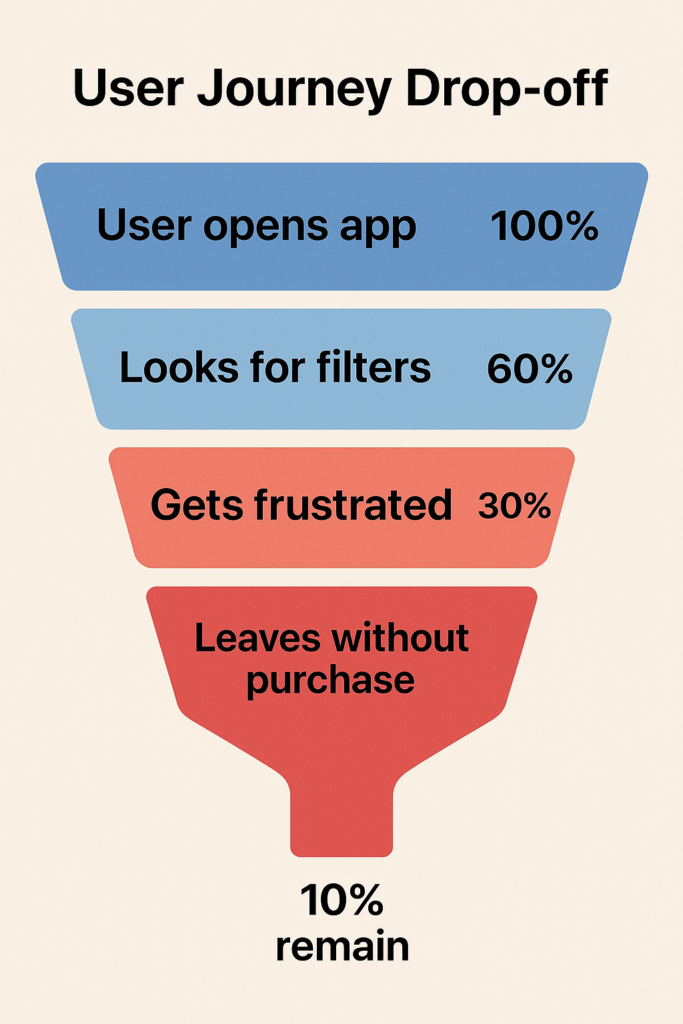
According to Baymard Institute research, only 16% of major e-commerce shops provide a good filtering experience, while the vast majority fail to implement filters well. The rest fail. And pay for it with lost customers.
Often, the root problem is information architecture – how content and categories are structured. For instance, some apps cram everything into one or two menus (forcing users to guess where things are hidden), while others split content into so many subcategories that users don’t even know where to look first. In both cases, users get stuck, frustrated, and leave.
Why are intuitive navigation and good architecture crucial? Because they don’t just make things neat — they make shopping effortless. And effortless journeys lead to fewer abandoned carts, higher conversions, and business growth.
Our Solution: Navigation That Guides, Not Hides
How do we prevent users from dropping off in confusion? The answer is designing navigation that guides users effortlessly, instead of hiding things from them. At Dreambit, we tackle this by focusing on a few core principles:
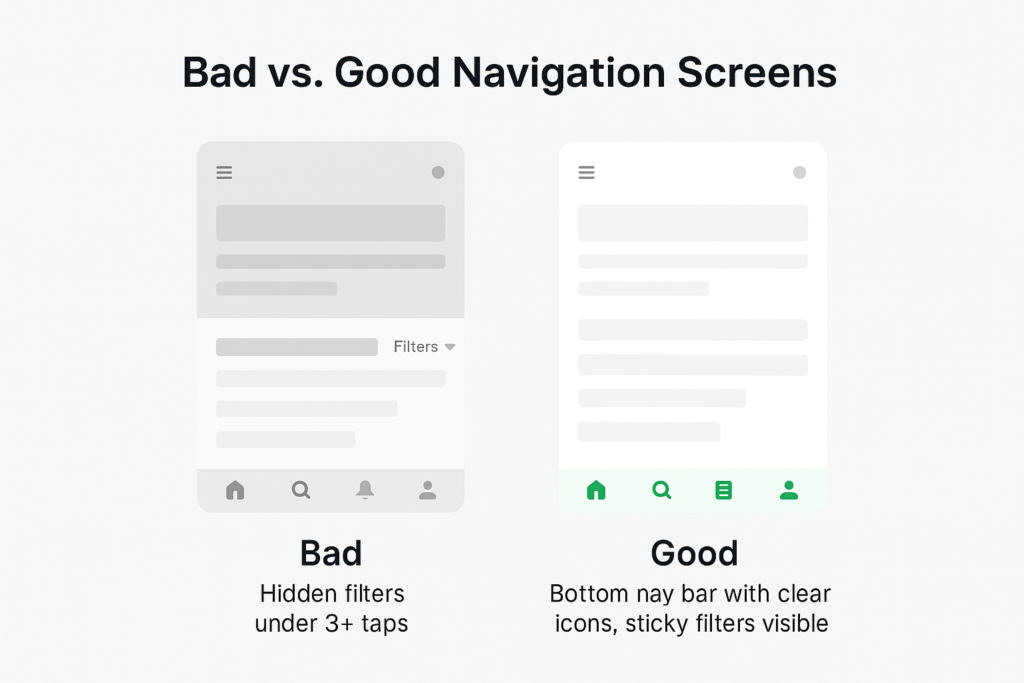
- Make key paths obvious, using persistent bottom navigation.
- Build a clear hierarchy that feels like a logical map, and keep important controls (like filters) easily accessible at all times.
Bottom Navigation Bars – Primary Options, Always Visible
Think of a mobile shopping app with a bottom navigation bar: Home, Categories, Search, Cart, Profile. The icons are clear, always visible, and require zero guesswork.
Unlike a “hamburger” menu, a bottom bar puts the essentials front and center. Users don’t have to remember where things are, and they don’t waste time digging.
Bottom navigation isn’t just about visibility but also about prioritization. It forces you to identify the most important parts of your app (since space is limited to perhaps 3–5 icons), resulting in a cleaner, more focused structure.
Clear Information Hierarchy – A Map Users Can Follow
Navigation gets users in the door, but information architecture (IA) tells them where to go next. IA is essentially the map of your app or site: how content is organized, labeled, and interlinked. A good hierarchy means users intuitively understand where they are and where to go next for what they need.
One of the main UX guidelines is that users should reach what they want in as few taps or clicks as possible (the spirit of the old “3-click rule”). In practice, it’s not about an exact number of clicks but about effort. Every extra step or confusing label is an opportunity for the user to drop off. So, we aim to streamline the paths by reducing unnecessary categories, merging redundant pages, or simply using clearer labels that make sense to the audience.
For instance, in an e-commerce app, having a top-level category called “Clothing” and subcategories like “Men” and “Women” might be more intuitive than burying gender sections first or scattering items by type without a gender filter. The goal is that a new user can predict where things are just by the labels and grouping.
Equally important is avoiding over-structuring your content. While it’s bad to hide everything under one menu, it’s also bad to create dozens of ultra-specific categories.
Research by Baymard Institute warns that overcategorization prevents users from seeing all their options and leads to abandonment. A classic example is a store that separates “Skinny Jeans” and “Slim Jeans” into two categories. Users can struggle because they can’t view all jeans at once and have to jump between categories to compare, often missing items and getting frustrated.
In such cases, a better hierarchy might be to have a single “Jeans” category and let users filter by fit style (skinny, slim, etc.). The principle here is to organize by how users think of the content, not how your internal team thinks of it.
When we design a clear hierarchy, we also pay attention to naming and consistency. If you call your catalog “Shop” in one place and “Products” in another, users pause, second-guess, and lose confidence. A logical, consistent structure keeps them moving forward.
“Sticky” Filters – Refinement at Your Fingertips
Once a user lands in a category or search results, you want to make it effortless for them to refine and drill down to exactly what they want. This is where “sticky” filters come in. A sticky filter is a filter bar or button that stays persistently accessible as the user scrolls through content, rather than disappearing off-screen. The idea is simple: at any point in browsing, the user can adjust filters without having to scroll all the way back up or navigate to a separate filter page.
Why does it matter? Because scrolling back to the top of a 200-item list just to adjust price or size is friction. Friction kills conversions. Sticky filters remove it.
This small UX detail yields real gains. When filters are easy to use, the faster users find the right product. And the faster they find it, the more likely they are to add it to their cart.
Conclusion
Every extra tap, hidden filter, or confusing label can drive users away from your app. Shoppers won’t wait around to figure out how everything works — they’ll shop elsewhere. Clear navigation, smart architecture, and sticky filters are what you need to stay ahead of the competition.
At Dreambit, we help brands transform cluttered, confusing interfaces into smooth, conversion-focused experiences that guide users every step of the way. If you want more sales and fewer abandoned carts, it’s time to rethink how users move through your app.
Ready to turn lost users into loyal customers? Let’s design smarter apps together.
Don’t stop here! Check out our other blog posts for actionable tips on improving your app’s UX, boosting conversions, and delighting users → Read More