Month: November 2025
This article is a cancellation flow case study that shows what really happens when a customer tries to leave – and how that moment can become a growth opportunity.
Picture this: a subscriber opens your app, heads to their account, and taps “Cancel Subscription.”
Most companies treat this moment as the end of the road. For them, it means a lost customer.
But should it be?
Some users will always unsubscribe, but you should not let it happen without at least trying to understand their decision. You also should not miss the chance to offer something valuable in return.
At Dreambit, we asked ourselves a simple question:
What if the very screen where users go to leave could convince them to stay?
This idea turned into a system that allowed us to convert an “exit” into an “upsell.”
And it worked.
By creatively monetizing the unsubscribe flow, we boosted our app’s LTV by about 20%.
What You’ll Learn
In this cancellation flow case study, we’ll walk through:
- what lessons we learned along the way
- how we used A/B testing on paywalls
- how we introduced a special offer at the cancellation step
- what results we achieved
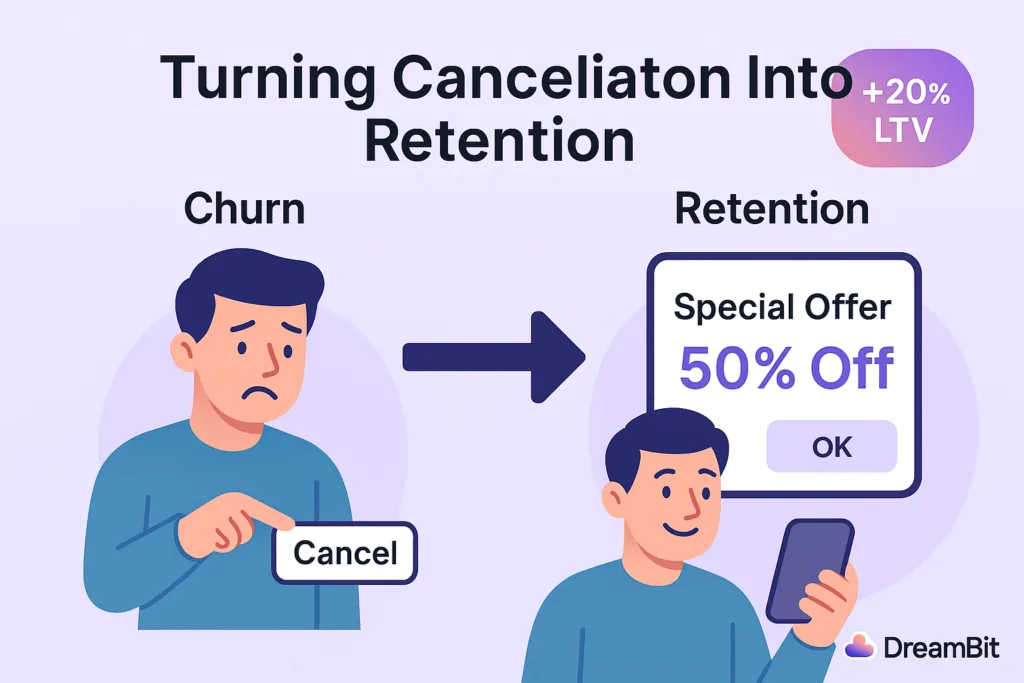
In this case study, we explain how we used A/B testing, RevenueCat tools, and a strategically timed “special offer” to turn churn into revenue.
Strategy: A/B Testing Paywalls With RevenueCat
Why We Chose a Data-Driven Approach
When we noticed an issue with churn, we did not rely on guesswork. We needed clear data.
Our approach centered on A/B testing different versions of the cancellation flow. This allowed us to measure what actually improved retention.
Why RevenueCat?
RevenueCat is a popular platform for managing in-app subscriptions on iOS and Android.
It supports:
- paywalls
- experiments
- promotional offers
These tools saved us a lot of development time.
With RevenueCat Experiments, we could show one experience to half of our users and another to the rest. Then we measured which version produced higher retention and LTV.
How We Structured the Experiment
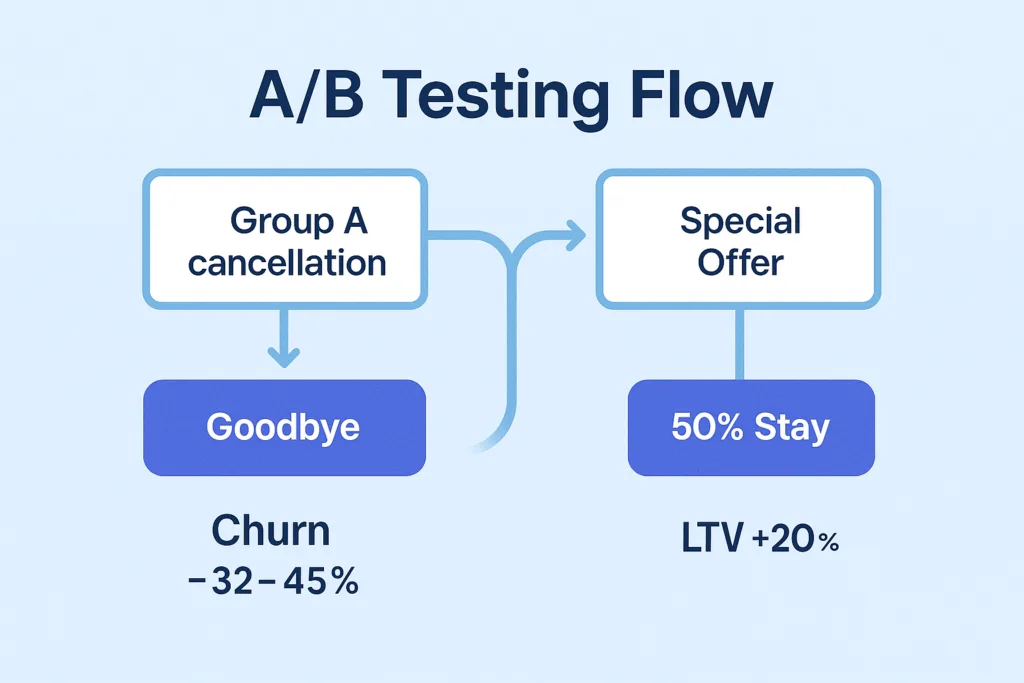
We created two groups:
Group A — Control
Users saw the standard cancellation flow with no special incentives.
This included a simple exit survey and a confirmation message.
Group B — Experiment
Users saw a customized paywall with a special offer when they tapped “Cancel Subscription.”
RevenueCat let us configure this screen without building a full custom UI.
We ran the experiment for a full cycle.
Our main metric was LTV, and secondary metrics included:
- user sentiment
- cancellation deflection
- offer acceptance
Key Tactic: A Special Offer at the Right Moment
Why the Moment Matters
When users decide to cancel, they are unusually open about their motivations. They are also willing to reconsider if they receive the right message at the right time.
This is why many successful apps offer personalized deals during cancellation.
Real-World Example
Asana does this effectively.
If the app detects that the user is not using the full plan, it offers a cheaper tier instead of a direct cancellation. This transforms a churn moment into a retention opportunity.
What Our Offer Looked Like
When a user in Group B tried to cancel, they saw a friendly message and a deal.
Examples included:
- “Enjoy the next 3 months at 50% off.”
- “Try premium features free for one extra month.”
These offers addressed the most common reasons for cancellation:
- pricing
- low perceived value
- lack of feature exploration
If price was the issue, a discount helped.
If value was unclear, extended access to premium features encouraged more engagement.
Technical Implementation
RevenueCat’s offerings let us build a custom paywall that appeared only when a user pressed “Cancel.”
- For iOS, we used Apple’s promotional offers.
- For Android, we created a discounted SKU.
We ensured all offers were time-limited.
Discounts applied for a few billing cycles, after which the price returned to normal.
Did It Work? Yes — And Better Than Expected
LTV Increased by 20%
Users who accepted the offer stayed longer and often returned to higher-tier plans later.
Churn Dropped by 32–45%
Compared to a standard cancellation screen, the special offer significantly reduced immediate cancellations.
User Sentiment Improved
The offer felt helpful rather than intrusive.
Users appreciated the tone and clarity of the message.
Not Everyone Stayed – And That’s Fine
Some users still canceled, but the experience remained positive.
We thanked them and kept the door open for a future return.
Lessons Learned
Use Empathetic Messaging
Friendly, supportive language works better than pressure.
Examples:
- “Budgets can be tight – here’s something that may help.”
- “If you haven’t tested all features, here’s extended access.”
Keep the Offer Simple
One clear option performs better than multiple buttons.
Add Light Urgency
Time-limited offers drive higher engagement.
Respect the User’s Decision
A positive exit increases the chance of reactivation.
Conclusion: Every Touchpoint Is an Opportunity
One of the biggest takeaways from this cancellation flow case study is simple:
Every user interaction is an opportunity.
Many companies focus heavily on onboarding and “aha” moments. But offboarding can be just as important.
A well-designed cancellation experience reduces churn and increases revenue.
It also leaves a better final impression on users who eventually decide to return.
At DreamBit, we specialize in turning everyday UX flows into growth engines.
If you want to boost your app’s LTV and reduce churn, we’re ready to help.
Learn more about our Projects in our Flutter Optimization Guide
Your Flutter app freezes when too much happens on the main thread – but it doesn’t have to. You open a fitness app. The dashboard loads instantly: live stats, charts, motivation. Everything just works – no frozen screen, no lag.
But here’s what most users don’t see: behind that smooth experience is a technical challenge that makes or breaks your app’s success.
When your app freezes for even one second, users leave. Performance isn’t just a technical metric – it’s the difference between 5-star reviews and instant uninstalls.
Learn more about Flutter performance tuning in our Flutter Optimization Guide
The Real Cost of a Frozen Screen
Picture this: a user taps “Apply Filter” on their product photo. The screen freezes. Three seconds pass. The animation stutters. The app feels broken.
This isn’t just annoying – it’s expensive:
- 18% of users abandon apps that feel sluggish
- Poor performance drops ratings by 0.5-1 stars on average
- Every frozen moment chips away at user trust
The problem? Most apps try to do everything at once on a single thread – like having one person manage a restaurant’s kitchen, serving, and cashier duties simultaneously.
How Flutter Solves the “Frozen Screen” Problem
Flutter takes a different approach. Instead of making your app do everything at once, it intelligently manages tasks in the background while keeping your interface responsive.
Think of it like a well-run kitchen:
- The chef (UI) focuses on presentation and plating
- The prep cook (background tasks) handles chopping and prep work
- Rush orders (urgent updates) get priority treatment
- Everything flows smoothly without chaos
The Three Problems We See Most Often
Problem №1: Apps That Lock Up During Data Loading
You’ve seen this: tap a button, the entire app freezes while waiting for data from the server.
Flutter’s solution: Using async/await patterns, the app continues responding to user taps and animations while quietly fetching data in the background. When data arrives, the screen updates smoothly – no interruption.
dart

// Instead of blocking the entire app:
Future loadUserData() async {
  var data = await fetchFromAPI();  // App stays responsive
  updateUI(data);  // UI updates when ready
}
The result: Your app feels instant, even on slow connections.
Business impact: Faster perceived load times mean higher conversion rates – users complete actions instead of abandoning them.
Problem №2: Heavy Tasks That Kill Performance
Processing photos, parsing large files, running calculations – these tasks can make your app stutter and lag.
Flutter’s solution: Heavy work gets moved to separate Isolates – independent workers that run in parallel. Your main app stays buttery smooth while the work happens on a different processor core.
dart

// Image processing without freezing the UI:
final result = await compute(processImage, photo);
// UI remains at 60fps while image processes
Real example: One retail client came to us with an app that froze when applying AI filters to product photos. After moving image processing to isolates:
- Processing time: 3.2 seconds → 0.4 seconds
- UI freezing: eliminated completely
- User engagement: +18% in two weeks
- App store rating: 3.8 → 4.6 stars
Problem №3: Real-Time Updates That Overwhelm the App
Live chats, stock tickers, IoT dashboards – when data flows constantly, apps can buckle under the pressure.
Flutter’s solution: Streams handle real-time data as a continuous flow – like a live broadcast that your app tunes into without missing a beat.
dart
// Handle live updates efficiently:
Stream
await for (var price in priceStream) {
updateChart(price); // Smooth updates, no overwhelming
}
The result: Smooth, responsive interfaces even with hundreds of updates per second.
Business impact: Users trust your platform with time-sensitive decisions – trading, monitoring, real-time collaboration – because it never lags.
The Technical Edge That Matters
Here’s what separates Flutter apps built by experienced teams from the rest:
Smart Task Prioritization (Event Loop)
Flutter’s event loop acts like an air traffic controller – ensuring critical UI updates always happen first, while background tasks wait their turn. This architecture means:
- Animations never drop frames during data loading
- User taps feel instant, even during heavy operations
- Battery life improves by 15-20% vs. poorly optimized apps
The Right Tool for Each Job
| Scenario | Flutter Approach | Business Benefit |
|---|---|---|
| API calls | Future + async/await | Users never see loading spinners freeze |
| Live updates | Streams | Real-time features that scale to millions |
| Heavy processing | Isolates (parallel execution) | Premium UX even with complex features |
What This Means for Your Business
When your app handles these challenges well, the benefits compound:
- Fewer crashes = better app store ratings
- Faster load times = higher conversion rates
- Smoother animations = premium brand perception
- Better battery life = longer user sessions
- Scalable performance = ready for growth without rebuilding
The Architecture That Scales
The real magic isn’t in fixing performance problems after they happen – it’s in building apps that never have them in the first place.
At DreamBit, we’ve seen the pattern: startups that invest in proper performance architecture from day one avoid costly rewrites later. Apps that feel fast on day 1 still feel fast at 100,000 users.
In one project, adopting clean async patterns cut our code review time by 30% – meaning faster feature delivery and lower development costs. For businesses, this isn’t just cleaner code – it’s faster time-to-market and lower maintenance costs.
Poor performance isn’t just a technical debt – it’s a business risk that grows with every new user.
Common Pitfalls (And How We Avoid Them)
Even experienced teams make costly mistakes:
❌ Heavy operations on the UI thread
→ Result: Janky scrolling, dropped frames, 1-star reviews
✓ Our approach: Use compute() and isolates for intensive work
❌ Waiting for tasks unnecessarily
→ Result: 2-3x slower load times than needed
✓ Our approach: Run parallel operations with Future.wait()
❌ Memory leaks from unclosed streams
→ Result: App crashes after 10-15 minutes of use
✓ Our approach: Proper stream subscription management and disposal
These aren’t just technical details – each one directly impacts your crash rate, user retention, and app store ranking.
Speed as a Competitive Advantage
In today’s market, users expect apps to feel native, instant, and effortless. When your app delivers on that expectation, you’re not just meeting a standard – you’re standing out from competitors who settle for “good enough.”
Your app’s performance sends a message about your brand. A smooth, responsive experience says: We care about details. We respect your time. We’re the premium choice.
A frozen screen says the opposite.
Built for Performance, Designed for Growth
At DreamBit, we don’t just build Flutter apps – we engineer experiences that feel instant and natural from the first tap.
Whether you’re launching an MVP or scaling an enterprise platform, we integrate performance best practices from day one:
- Async architecture designed for your specific use case
- Parallel processing for compute-intensive features
- Real-time capabilities that scale from 100 to 100,000 users
- Performance monitoring built into development workflow
Because the fastest way to lose users is to make them wait.
Ready to build an app that never freezes? Let’s talk about making your vision feel effortless.